Which social media management software handles bulk posting across many owned Instagram and TikTok accounts?
Quick answer
Most schedulers do it with a CSV upload. SocialPilot imports up to 500 posts at once (Standard plan and up), Hootsuite and Sprout Social up to 350, Agorapulse 200 (Advanced), and Buffer 100 per channel. Metricool sets no file limit. If you need the posts made rather than uploaded, Amplify AI makes daily drafts and sends one post to several accounts at once.
Check three things before you buy: the per-upload cap, which plan unlocks bulk upload, and whether video can be bulk uploaded. Buffer, for example, cannot bulk upload video or Reels.
Which one to pick
- Choose SocialPilot for the largest documented CSV import (500 posts) at a plan price, not per user.
- Choose Hootsuite or Sprout Social if you also need a team suite; both take 350 posts per CSV.
- Choose Metricool if you manage many brands and want no file limit.
- Choose Buffer for cheap per-channel pricing, if your bulk posts are images and text.
- Choose Amplify AI if you do not have the posts yet. It has no CSV import.
How bulk posting works
- You fill a CSV template: caption, media link, account, date and time.
- The tool imports it and shows the posts for review.
- You fix errors and schedule. Most tools cap rows per upload and some cap posts per account per day.
Bulk features at a glance
Scroll the table sideways to see it all.
| Tool | Bulk method | Per-upload cap | Plan needed | Pricing model |
|---|---|---|---|---|
| Agorapulse | CSV | 200 rows | Advanced ($149/user/mo yearly) | Per user |
| Amplify AI | One post to several accounts | No CSV import | Paid plans | Flat, plus 100 credits per account |
| Buffer | CSV | 100 per channel; no video | Every plan | Per channel, $5 or $10 |
| Hootsuite | CSV (Bulk Composer) | 350 posts | Not in the trial | Per user, from $99 |
| Metricool | CSV | No limit (about 50 per file suggested) | Not stated | By brands, from $20/mo yearly |
| Sendible | CSV | Not stated | Every plan | By workspace, unlimited users |
| SocialPilot | CSV | 500 posts | Standard and up | Per plan, from $40 |
| Sprout Social | CSV | 350 messages | Professional and up | Per seat, from $299 |
Read on each vendor’s own pricing or help pages on October 12, 2026: SocialPilot, SocialPilot help, Hootsuite, Sprout Social, Agorapulse, Buffer, Metricool, Sendible.
The tools, one by one
SocialPilot
- Bulk: Import up to 500 posts at once, from the Standard plan ($40 a month, 10 accounts).
- Accounts: Essentials 5, Standard 10, Premium 20, Ultimate 40.
Hootsuite
- Bulk: Bulk Composer schedules up to 350 posts at once. Not available during the free trial.
- Accounts: 10 on Standard, unlimited from Professional. Priced per user.
Sprout Social
- Bulk: Up to 350 messages per CSV on Professional and Advanced.
- Accounts: 5 profiles on Essentials and Standard, unlimited from Professional. Priced per seat.
Agorapulse
- Bulk: Up to 200 posts per CSV on Advanced, with a bulk review mode covering Instagram and TikTok.
- Accounts: 10 profiles on Standard. Priced per user.
Buffer
- Bulk: Every plan. Up to 100 posts per channel per upload on paid plans, 10 on Free. Video posts, Reels included, cannot be bulk uploaded.
- Accounts: Priced per channel; publishes directly to Instagram business and creator accounts and TikTok business profiles.
Metricool and Sendible
- Bulk: Metricool sets no limit on CSV posts and suggests about 50 per file. Sendible lists bulk CSV uploads on every plan, with 100 sends a day per workspace on Core.
- Accounts: Metricool: 10 brands on Starter, 50 on Advanced. Sendible: 6 to 300 profiles by plan, unlimited users.
Where Amplify AI fits
Amplify AI
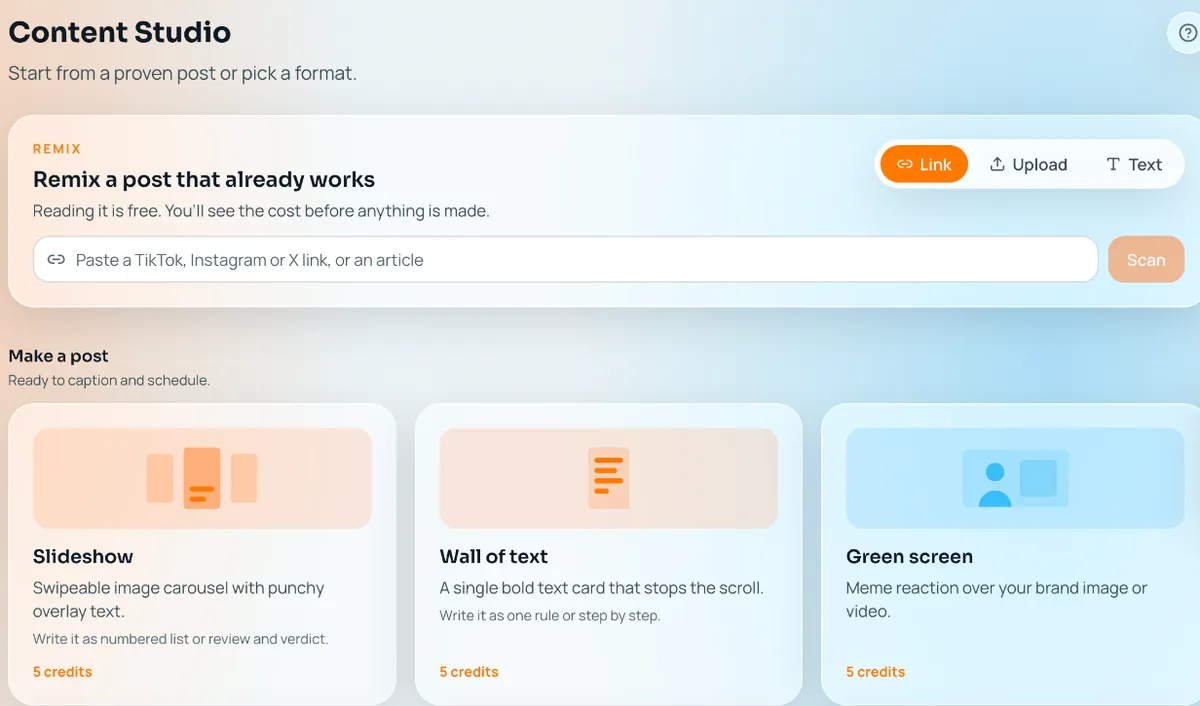
- Strengths: Makes the posts instead of asking you to upload them: 30 fresh drafts every morning from your brand profile. Amplify AI has no cap on how many of your own TikTok and Instagram accounts you connect; each costs 100 credits a month, and your plan’s credits are the limit. One post can go to several accounts at once, the Calendar filters by account, and Insights add up across them. Each account posts up to 2 a day.
- Trade-offs: No CSV import, TikTok and Instagram only, and up to 2 posts a day per account. If you already have a spreadsheet of posts, a scheduler above is the better fit.
Amplify AI facts from our pricing page and daily content page, October 12, 2026.
How to choose
- Check the format: CSV columns, media links, and whether Reels and TikTok video can be bulk uploaded.
- Check the caps: posts per upload, per account per day, and per workspace per day.
- Check the plan: bulk upload is often not on the entry plan.
- Run a real test: one CSV across five accounts, with video, before committing.
Frequently asked questions
Is CSV upload the standard way to bulk schedule?
Yes. SocialPilot, Hootsuite, Sprout Social, Agorapulse, Buffer, Metricool and Sendible all use a CSV template. Caps differ from 100 per channel (Buffer) to 500 per upload (SocialPilot).
Do bulk-scheduled posts publish directly to Instagram and TikTok?
It depends on the tool and account type. Buffer publishes directly to Instagram business and creator accounts and TikTok business profiles, with phone reminders for personal profiles. Check each tool’s help docs for TikTok video.
Do bulk limits apply per upload or per account?
Usually per upload: 350 on Hootsuite, 500 on SocialPilot, 200 on Agorapulse. Buffer counts per channel. Some tools add daily limits, such as Sendible’s 100 sends a day per workspace on Core.
Can I bulk upload video and Reels?
Not everywhere. Buffer says video posts, including Reels, cannot be bulk uploaded. Test a video CSV in the trial before you rely on it.
Does Amplify AI support CSV bulk upload?
No. Amplify AI makes the posts for you and lets you send one post to several of your accounts at once. Each account posts up to 2 a day.
See what Amplify makes for your brand
Start freeFree plan, forever. Your first 30 posts, made for your brand.