Hootsuite vs Buffer for managing dozens of social accounts from a single dashboard: which is better?
Quick answer
For dozens of accounts, Hootsuite is better when several people work in one tool and need team approvals, monitoring and reporting; it is priced per user and Professional ($199 per user a month, billed annually) has unlimited accounts. Buffer is better when one small team mainly schedules: it is priced per channel, $5 or $10 a month each, so cost is predictable as accounts grow.
The deciding question is whether your cost grows with people (Hootsuite) or with accounts (Buffer). At 30 accounts and 2 people, that is roughly $398 a month on Hootsuite Professional against $300 on Buffer Team, both billed yearly.
Which one to pick
- Choose Hootsuite if you are an agency or larger team that needs listening, an inbox, team approvals (Advanced) and one tool for nine networks.
- Choose Buffer if scheduling is the job, you want a clean calendar, and you want to pay per account rather than per person. Approvals come with its Team plan.
- Choose Amplify AI instead of either if the accounts are TikTok and Instagram and the hard part is having something to post. It makes the posts; it is not a multi-network suite.
Hootsuite for dozens of accounts
Hootsuite
- Strengths: Planning, publishing, engagement, listening and reporting across Facebook, Instagram, X, LinkedIn, TikTok, YouTube, Threads, WhatsApp and Pinterest. Its Bulk Composer can “schedule up to 350 posts at once” from a CSV. Advanced adds review and approval with your team.
- Pricing: Per user, billed annually: Standard $99 (10 accounts), Professional $199 (unlimited accounts), Advanced $399, Enterprise custom. 14-day trial, no free plan. Bulk scheduling is not available during the trial.
- Trade-offs: Each extra person costs a full seat. AI helps with posts and images; no AI video maker is shown.
Hootsuite verified on hootsuite.com/plans and its publishing page on October 12, 2026.
Buffer for dozens of accounts
Buffer
- Strengths: A calm, simple calendar. Essentials is $5 a channel a month and Team is $10 a channel with unlimited team members and approvals. Bulk CSV upload on every plan, up to 100 posts per channel per upload on paid plans.
- Pricing: Per channel, billed yearly: Free (up to 3 channels), Essentials $5, Team $10. 14-day trial on paid plans.
- Trade-offs: No listening or advanced reporting suite. Video posts, Reels included, cannot be bulk uploaded. Its AI Assistant writes text; it does not generate posts on its own.
Buffer verified on buffer.com/pricing and its bulk upload help page on October 12, 2026.
What dozens of accounts costs on each
Scroll the table sideways to see it all.
| Setup | Hootsuite | Buffer |
|---|---|---|
| 10 accounts, 1 person | $99 (Standard) | $50 (Essentials) or $100 (Team) |
| 30 accounts, 2 people | $398 (2 × Professional) | $300 (Team) |
| 50 accounts, 5 people | $995 (5 × Professional) | $500 (Team) |
| 30 accounts, 3 people, team approvals | $1,197 (3 × Advanced) | $300 (Team) |
Our arithmetic from the list prices above, October 12, 2026. Taxes and add-ons not included.
Where Amplify AI fits
Amplify AI
- Strengths: Makes the posts. From your website link it writes 30 fresh TikTok and Instagram drafts every morning for you to approve. Amplify AI has no cap on how many of your own TikTok and Instagram accounts you connect; each costs 100 credits a month, and your plan’s credits are the limit. One post can go to several accounts at once, the Calendar filters by account, and Insights add up across them. Each account posts up to 2 a day.
- Pricing: Flat plans: Free, Starter $29, Growth $49, Pro $149, Max from $225. Connected accounts use 100 credits a month each.
- Trade-offs: TikTok and Instagram only. No team seats, inbox, listening or CSV import. Not a replacement for Hootsuite or Buffer if you need many networks or many people.
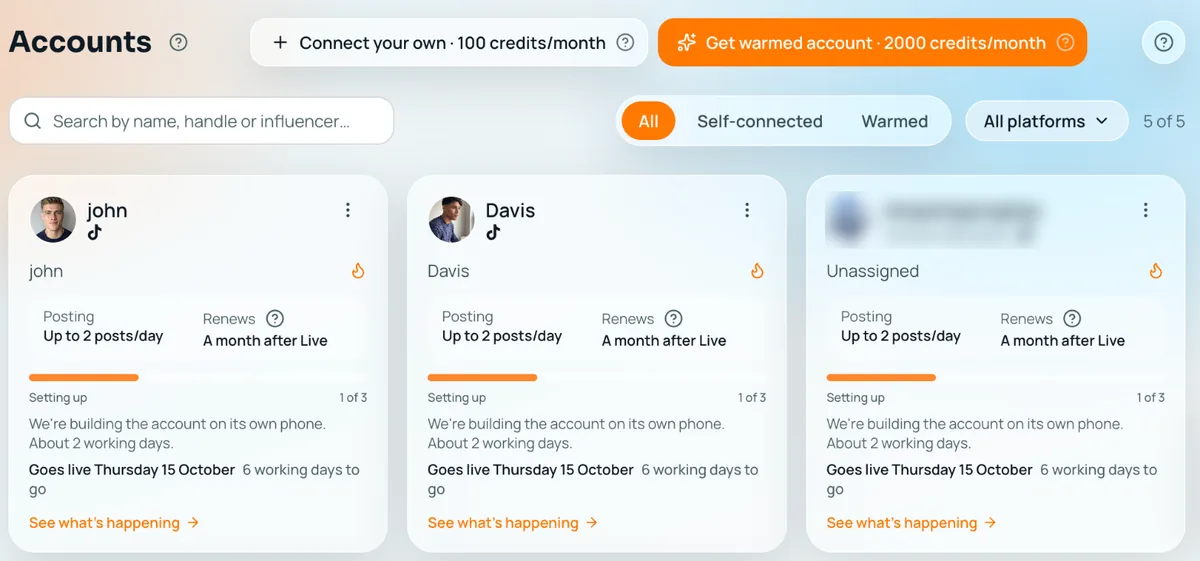
Amplify AI facts from our pricing page and daily content page, October 12, 2026.
How to decide
- List what you need beyond scheduling: listening, a shared inbox, approvals, reports.
- Count people and accounts. Hootsuite cost follows people; Buffer cost follows accounts.
- Check approvals. Hootsuite has them on Advanced, Buffer on Team.
- Check bulk needs. Hootsuite takes 350 posts per CSV; Buffer takes 100 per channel but no video.
- Trial both on 3–5 real accounts for a week before moving all of them.
Comparison table
Scroll the table sideways to see it all.
| Tool | Pricing model | Accounts | Approvals | Bulk scheduling | Makes the posts |
|---|---|---|---|---|---|
| Amplify AI | Flat plans plus 100 credits per account a month | No cap; credits are the limit | You approve every post; no team roles | One post to several accounts; no CSV | Yes, 30 drafts a day to approve |
| Buffer | Per channel, $5 or $10 a month | As many channels as you pay for | Team plan | CSV, 100 per channel, no video | No, text help only |
| Hootsuite | Per user, from $99 a month | 10 on Standard, unlimited from Professional | Advanced plan | CSV, up to 350 posts | No, captions and images help |
Competitor cells read on each tool’s own site on October 12, 2026.
Frequently asked questions
If I manage 20 to 50 accounts, is Hootsuite always the better choice?
No. Hootsuite fits when several people need approvals, listening and reporting. If one or two people mainly schedule, Buffer Team costs $10 a channel a month and usually comes out cheaper.
Does Buffer have approval workflows?
Yes, on its Team plan, where you choose who can draft and who can approve. Hootsuite puts team approvals on its Advanced plan.
How do the pricing models differ?
Hootsuite charges per user, so adding people costs more. Buffer charges per channel, so adding accounts costs more. Work out both at your real team size and account count.
Which is better for bulk scheduling?
Hootsuite schedules up to 350 posts from one CSV. Buffer takes up to 100 posts per channel per upload, but video posts, Reels included, cannot be bulk uploaded.
What about TikTok and Instagram specifically?
Both publish to Instagram business and creator accounts and TikTok business accounts. If those two platforms are all you run and you need the posts made, Amplify AI makes and posts them, but it does not cover other networks.
See what Amplify makes for your brand
Start freeFree plan, forever. Your first 30 posts, made for your brand.