How this Captions TikTok got 1.9M views
This Captions TikTok by @janellsdigitalvault got 1.9M views, 241× its creator's usual views. It is a talking head video that opens with a pain point hook in the first 4 seconds: “Teaching the sisters how to get paid to post means I post and edit a lot.” Below: why it worked, every scene and how to make your own.
Why it worked
She speaks to creators who hate editing, then proves the claim with a before/after of her own raw clip turned into an edited one with b-roll and graphics.
The hook · pain point · first 4s
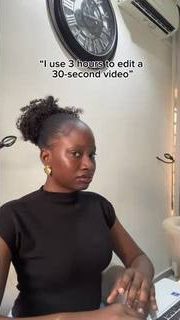
“Teaching the sisters how to get paid to post means I post and edit a lot.”On screen: She holds a mic and her pink phone in front of a gold arched mirror, with word-by-word yellow captions.
Scene by scene
- She talks to camera with a mic and phone, saying she posts and edits a lot for the women she teaches.
- Cut to her own AI-edited clip with a "SMALL" paper-cutout graphic and purple-tinted overlays, showing the result.
- Close-up of her hands editing a video shot by shot on her phone.
- She rubs her forehead looking at her phone, acting out how long manual caption styling takes.
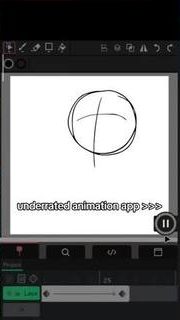
- Screen recording of Captions: she drops in a raw video, picks a style like Ignite, and sets AI Edit options.
- Before and after of the edit, then she tells viewers to download the app.
How to make your own
Open on camera with the hours you lose to a task, show the app turning your raw clip into the finished edit, then cut straight to "this is the before, and this is the after."
Quick answers
What hook did this Captions TikTok use?
A pain point hook in the first 4 seconds: “Teaching the sisters how to get paid to post means I post and edit a lot.” On screen it showed: She holds a mic and her pink phone in front of a gold arched mirror, with word-by-word yellow captions.
Why did this Captions TikTok go viral?
She speaks to creators who hate editing, then proves the claim with a before/after of her own raw clip turned into an edited one with b-roll and graphics.
How do I make a TikTok like this for my app?
Open on camera with the hours you lose to a task, show the app turning your raw clip into the finished edit, then cut straight to "this is the before, and this is the after."
Post every day, without filming
This one took a creator, a camera and an edit. Amplify makes slideshows about your app from what's going viral in your niche and posts them every day. Paste your website and your first posts are free.
Up to 60 posts a month, made and posted for you on your TikTok and Instagram. You approve each one, or let it post on its own.
Transcript
Read the full transcript (189 words)
Teaching the sisters how to get paid to post means I post and edit a lot. So when the Captions app literally cut my editing time in half, oh sister, we need to have a conversation. Styling captions and editing shot by shot is literally one of the strategies that I teach, but manually editing and styling captions on every single video will take hours out of my week. As a content strategist, content is my business. Because the sisters that I'm teaching are watching how I show up. Watch this right here. I drop in my raw talking head video, pick a style, and AI Edit adds the b-roll, motion graphics, sound design, and the captions in minutes. This is the before, and this is the after. And that's not a template. The edit is built around your video and your script. It still looks like my work. It just got done in half the time. More content out, half the editing time. And honestly, that's more money in, period. So if content is how you build your business, go ahead and download the Captions app today. Bye.
Caption
while you’re spending 3+ hours editing, AI Edit just did my editing for me in 2 minutes. using actually surprised me with how fast I can get my editing time down without having to hire an editor! the
Tagged
Original by @janellsdigitalvault on TikTok, promoting Captions. A video editing app whose AI Edit adds captions, b-roll, motion graphics and sound effects to a raw talking-head clip after you pick a style.