How this Freenotes TikTok got 518K views
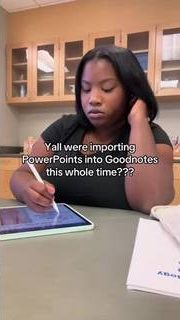
This Freenotes TikTok by @studywmidy got 518K views, 369× its creator's usual views. It is a product demo video that opens with a pain point hook in the first 2 seconds: “the space is too small to write extra notes!” Below: why it worked, every scene and how to make your own.
Why it worked
It opens on a cramped PDF page every student annotating textbooks recognises, then shows a one-tap fix that widens the page for margin notes. Short (15s) and silent, so it loops and gets saved.
The hook · pain point · first 2s
“the space is too small to write extra notes!”On screen: A hand with an Apple Pencil tries to write in the narrow margin of a dense, highlighted textbook PDF on an iPad.
Scene by scene
- Close-up of an iPad on a desk: the pencil hovers over a crowded textbook page with 'the space is too small to write extra notes!'.
- Zoom on the page text with 'try this' on screen while the pencil opens the toolbar.
- The Canvas menu opens and she picks Expand Page > Expand Both Sides.
- The page shrinks and blank space appears on both sides, captioned 'expand page feature'.
- She writes and sticks notes and diagrams in the new margin next to the text.
How to make your own
Film your hand writing on a crowded PDF page with the caption 'the space is too small to write extra notes!', then tap Canvas > Expand Page and write in the new blank space with 'expand page feature' on screen.
Quick answers
What hook did this Freenotes TikTok use?
A pain point hook in the first 2 seconds: “the space is too small to write extra notes!” On screen it showed: A hand with an Apple Pencil tries to write in the narrow margin of a dense, highlighted textbook PDF on an iPad.
Why did this Freenotes TikTok go viral?
It opens on a cramped PDF page every student annotating textbooks recognises, then shows a one-tap fix that widens the page for margin notes. Short (15s) and silent, so it loops and gets saved.
How do I make a TikTok like this for my app?
Film your hand writing on a crowded PDF page with the caption 'the space is too small to write extra notes!', then tap Canvas > Expand Page and write in the new blank space with 'expand page feature' on screen.
Post every day, without filming
This one took a creator, a camera and an edit. Amplify makes slideshows about your app from what's going viral in your niche and posts them every day. Paste your website and your first posts are free.
Up to 60 posts a month, made and posted for you on your TikTok and Instagram. You approve each one, or let it post on its own.
Tagged
Original by @studywmidy on TikTok, promoting Freenotes. iPad note-taking app for annotating PDFs; the video shows its Expand Page setting that adds blank space beside a page. The name appears only in the caption hashtag #freenotes.