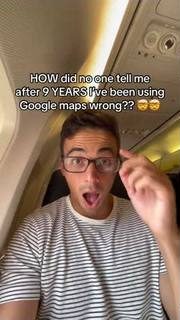
How this Google My Maps TikTok got 442K views
This Google My Maps TikTok by @kharmellesnz got 442K views, 409× its creator's usual views. It is a voiceover + b-roll video that opens with a pain point hook in the first 3 seconds: “this travel hack saves me hours every trip” Below: why it worked, every scene and how to make your own.
Why it worked
It names a real travel mess, screenshots and TikToks saved everywhere, then shows a free tool most people don't know about, with her own Bangkok trip as the example, so people save it for their next trip.
The hook · pain point · first 3s
“this travel hack saves me hours every trip”On screen: A woman in a beige sweater talks to camera on a couch.
Scene by scene
- She tells the camera that opening Google Maps all trip makes it harder and she pins everything into one map.
- Her phone films a Google search for 'google my maps', then 'Create a new map' on her laptop.
- She names the map 'BANGKOK 4N 5D' and adds layers named Day 1, Day 2 and so on.
- She searches places like the Marriott, a 7-Eleven and a matcha shop and clicks 'Add to map'.
- She sets Day 2 to numbered, color-coded pins and hides other days to show a clean route across Bangkok.
How to make your own
Open on your face saying the habit that makes trips harder, then film your screen building your own trip plan in the tool, one layer per day, ending with the finished, color-coded route.
Quick answers
What hook did this Google My Maps TikTok use?
A pain point hook in the first 3 seconds: “this travel hack saves me hours every trip” On screen it showed: A woman in a beige sweater talks to camera on a couch.
Why did this Google My Maps TikTok go viral?
It names a real travel mess, screenshots and TikToks saved everywhere, then shows a free tool most people don't know about, with her own Bangkok trip as the example, so people save it for their next trip.
How do I make a TikTok like this for my app?
Open on your face saying the habit that makes trips harder, then film your screen building your own trip plan in the tool, one layer per day, ending with the finished, color-coded route.
Post every day, without filming
This one took a creator, a camera and an edit. Amplify makes slideshows about your app from what's going viral in your niche and posts them every day. Paste your website and your first posts are free.
Up to 60 posts a month, made and posted for you on your TikTok and Instagram. You approve each one, or let it post on its own.
Transcript
Read the full transcript (442 words)
If you're still opening Google Maps every single second of your trip, then you're making a trip 10 times harder and stressful. Instead of saving screenshots, restaurant lists and TikToks everywhere, I pin everything into one Google map. And here's how to do it. Just go to Google My Maps. So you just click Create a New Map. Great. So it will take you to this untitled map, this blank canvas. So I'm going to name this map. So now that's the name of my map. Those layers will be the days. So for me, I can just name this day one. So add layer as well again. So this will be day two. So now I'm going to click on day one. First and foremost, I want to put our hotel. There you go. Click then just easily add to map. So that's our first stop for day one. We are actually arriving super late for this day to Bangkok. So I figured we're just going to go have our 7-11 run. And this is a nearest 7-11. So I'm going to add that to map as well. So there you go. So that's pretty much our first day agenda. Second layer. So that's day two. I'm feeling a matcha run on our first official day. So there you go. This is the nearest and then I'll add that to map. So I want to focus on day two because it's a full list. So my brain really runs in sequence. So I'm going to customize the appearance of layer features on this map. So I want sequence of numbers and no labels because my brain just runs unlike numbers. And for just a quick reference, I will do that for day one as well. But I would like to color code day two to this degree. So this is how I know it's day two because it's this color. So now I've organized all of it. I'm just going to remove the check marks of the other days because it's just day two that I want to see on the map. So now as you can see, you can really see my routes. So I start here and then here and then here and then here. So when you click the Google Maps app, you will see all the maps you've made and it's clear and organized that way. Just put a check mark on the day you want to see. So it doesn't have cluttered look to it and it's really more organized that way. So that's pretty much it. Happy traveling and save this for your next trip.
Caption
every Virgo’s dream tbh
Tagged
Original by @kharmellesnz on TikTok, promoting Google My Maps. Google's free custom map maker; she pins her hotel, a 7-Eleven, matcha cafe and other stops into one map with a layer per day, then views it in the Google Maps app.