How this Libby TikTok got 158K views
This Libby and 3 others TikTok by @chantelleirl got 158K views, 235× its creator's usual views. It is a talking head video that opens with a listicle hook in the first 3 seconds: “The best apps for audiobooks free & paid” Below: why it worked, every scene and how to make your own.
Why it worked
It answers a real BookTok question with honest pros and cons from heavy use, including tips like renting on Hoopla before noon, so viewers save it as a reference.
The hook · listicle · first 3s
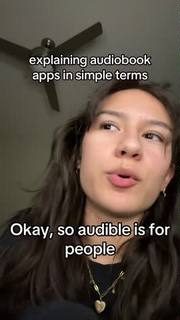
“The best apps for audiobooks free & paid”On screen: The creator sits cross-legged on a couch holding a pink mic, title text above her head.
Scene by scene
- Title 'The best apps for audiobooks free & paid' as she introduces herself as an audiobook girly.
- Libby logo: free with a library card, but long waitlists for popular books.
- Hoopla logo: her favourite, limited daily credits so rent before noon.
- Audible logo: paid credits, best selection and Audible exclusives.
- Spotify Premium logo: 15 hours a month, best for shorter books.
- She shares her order (Hoopla, then Libby or Spotify, then Audible) and 'Want other videos like this?'.
How to make your own
Sit on camera with a clip mic, title it 'The best apps for [thing], free & paid', walk through each app with its logo on screen, give one downside and one hack each, and end with your own order of use.
Quick answers
What hook did this Libby and 3 others TikTok use?
A listicle hook in the first 3 seconds: “The best apps for audiobooks free & paid” On screen it showed: The creator sits cross-legged on a couch holding a pink mic, title text above her head.
Why did this Libby and 3 others TikTok go viral?
It answers a real BookTok question with honest pros and cons from heavy use, including tips like renting on Hoopla before noon, so viewers save it as a reference.
How do I make a TikTok like this for my app?
Sit on camera with a clip mic, title it 'The best apps for [thing], free & paid', walk through each app with its logo on screen, give one downside and one hack each, and end with your own order of use.
Post every day, without filming
This one took a creator, a camera and an edit. Amplify makes slideshows about your app from what's going viral in your niche and posts them every day. Paste your website and your first posts are free.
Up to 60 posts a month, made and posted for you on your TikTok and Instagram. You approve each one, or let it post on its own.
Transcript
Read the full transcript (1638 words)
you want to get into audiobooks but you're not sure what apps to use then you've stumbled upon the right video because I am an audiobook girly and I'm going to share my four favorite apps to find audiobooks. Now the first two apps are free which is amazing, you know I love me some free books. Why sure do. First up on the list is Libby and the reason it's free is because you are connecting it to your library in order to get free books. So you will need a library card if you don't have one. It's so easy. Just head on into your library, sign up for a card, they'll literally give you the card the same day. I do also think that you might be able to sign up online and they might be able to ship it to you. Don't quote me on that. I'm not 100% sure. But I just think it's easier to just go in and get the card the same day and then connect it to your Libby right away and then you can start audiobooking your little heart out. Once you connect your library card to your Libby app you will then get access to your library's digital catalog. So it works really, really similar to a library where a lot of the popular books are just going to be a little bit harder to track down and you just might have to wait a little bit longer but you can definitely grab them. Now the only thing about Libby is different libraries and areas do just have a better selection than others. So your library might have a lot better of a selection than somebody who lives like a state away from you. Now the only downfall to Libby is again the popular books will just have longer wait times. So there's times I'm waiting weeks to months for some books and it just takes a long time. And the other thing that drives me crazy about Libby is it always seems like your book pops up at the most inconvenient time. You're knee deep in another book? Maybe something happened in your family and then it pops up and you're like, frickin' a, I either need to send it and read it right now or I need to push it back and wait for another person and so then you give up your spot for the time being in line and you are the next one in line. So that is kind of annoying and a little bit tricky because you can't really plan it or time it the way that you want but worth it because it's free and we love free books. Now I have learned a couple of sneaky hacks for Libby such as adding extra library cards, making sure you get it for longer times. And another little sneaky app depending on the device that will let you keep your audio book longer than the allotted time. So if you want another dedicated video on the little Libby hacks, definitely let me know in the comments so I can make that video for you. Next up on the list and my personal favorite, hoopla, I love this app so much and it is another free app because similar to Libby, you're using your library card to get access to these books. But instead of doing more of a waiting line situation like you are on Libby, instead you're just allotted a certain amount of credits in your area and you're also allotted a certain amount of books. I want to say like less you rent five to ten on the app a month is something like that. But there's just a certain amount of credits that your area gets. And if they are used up earlier in the day, then everybody is just done in the area. So when I first signed up for this app, I was so confused because any time I would find a book I wanted, I would go to rent it and then it would give me an error message in saying that like the credits or whatever were gone and I didn't know what the freak it was talking about because I was just used to Libby at the time. So I have learned that if you check out usually before noon, a lot of times there's going to be plenty of credits in your area. If I just go in first thing in the morning and rent my book, I usually never have problems getting access to the books. It's just once the credits run out for your particular area, there's just none for the day and you have to wait for them to refresh first thing in the morning. The only downfall to hoopla compared to Libby is that I do feel like hoopla has slightly less of a selection because I think hoopla is lean more towards other medias like movies and videos and things like that. So there's a little bit less of a selection but I still love this so much because you get it a lot faster. Number three up on the list and by far the most popular and most likely you've heard of it, audible. Now sadly this option is not a free option. I mean, I do think they have a little section in there where you can get free audiobooks. I think I've gotten maybe one or two throughout the years. But for the most part, you're going to be paying for audiobooks on this app. Now there is two ways that you can pay for the books. You can either use their subscription where you basically pay something like $15. I don't know. Prices of everything freaking changes every day these days. But you get a new credit every single month and you can use it on whatever book that you want. Or you can just flat out pay for audiobooks on the app. So what I personally like to do is I do have a subscription where I get one credit every single month and I like to use those for the more expensive books that I can't really find on the other apps or just that are more expensive in general. And then if there's any other books that I want to read on the app that are cheaper or below that $15 mark, that's when I will flat out pay for a book. So if I find a book on there that's like $10, then most likely I'm going to just pay out right because the credits are a little bit more expensive if that makes sense. Now Audible is definitely going to have your best selection out of all of these apps just because a lot of authors actually partner with Audible and have audiobooks that are only on Audible. So Audible exclusive. So you're going to just find a really, really good range. So again, I always like to check the other apps and if it's not on there, I go check Audible and a lot of times it's because it's an Audible exclusive and I have to get on the Audible app. And last up on the list is Spotify, which is basically free because if you have a Spotify premium app, you get 15 hours of audiobooks included in your plan, which girl math, that's free. Now I do have to get Spotify a pat on the back because they do have a really good selection of audiobooks. You can pretty much almost find any audiobook on Spotify. The only freaking downfall is that you only get 15 hours per month. So if you are a fantasy girl, like me, those fantasy books are thick and long. There's no way that you're fit in that audiobook within that 15 hours. So there have been times that I have started a book and then it caps me and then I have to wait a couple of weeks. So that is really inconvenient if you started a book at the beginning of the month and then it cuts you off and then you have to wait for your plan to renew in order to finish out that book. So I just am a little bit more strategic with the books that I use on Spotify. I usually will do my romances, my thrillers, anything that's going to be 15 hours or less, that way it's just not cutting me off and I'm not having to wait to finish the book. So this is definitely a great option if you already have a Spotify premium plan and you want to read any books that are 15 hours or less. Or if your plan is about to renew, you can start your book, it renews, and then you finish your little book. That's always a good hack too. So basically my plan of attack is I always go to hoopla first because I can usually get the book the same day. If it's not on hoopla, that's when I had to either Libby or Spotify, depending on how long the book is, and depending on if I want to wait in a line. And then last up if it's not on all the other free platforms, that's when I had to audible because your girl is going to listen to it anyways because your girl needs her audiobook. So definitely let me know in the comments if there's any other apps that you guys use and really like. I'm always looking for good apps to listen to audiobooks. And also if you found this video helpful, definitely let me know in the comments so I can make other videos like it.
Caption
the apps i use to never pay full price for audiobooks 🎧
Tagged
Original by @chantelleirl on TikTok, promoting Libby and 3 others. Four audiobook apps: Libby and Hoopla are free with a library card, Audible is paid by credit or purchase, and Spotify Premium includes 15 hours of audiobooks a month.