How this Picsart TikTok got 246K views
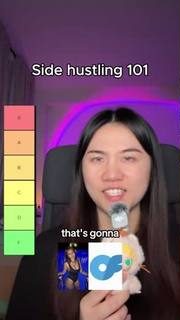
This Picsart TikTok by @deekay_life got 246K views, 439× its creator's usual views. It is a talking head video that opens with a tutorial promise hook in the first 3 seconds: “Youtube automation 101” Below: why it worked, every scene and how to make your own.
Why it worked
She holds up a finished Pixar-style kids video and promises to show 'exactly' how to make it, which taps the faceless YouTube money dream with a two-tool recipe anyone can follow.
The hook · tutorial promise · first 3s
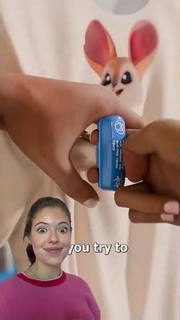
“Youtube automation 101”On screen: The creator holds up a phone playing a Pixar-style animated kids clip.
Scene by scene
- She holds up a Pixar-style kids video and promises to teach exactly how to make it.
- She lists what you need: a phone, laptop or iPad.
- Screen shot of ChatGPT asking for a Pixar/DreamWorks-style video prompt for Picsart Flow.
- She types picsart.com in the browser and clicks AI Playground.
- She opens the AI video generator, pastes the prompt and hits generate.
- She tells viewers to post it to YouTube Shorts, Facebook or TikTok.
How to make your own
Hold your finished AI video on your phone to the camera, say 'I'm going to teach you exactly how to make these', then film your laptop as you get a prompt from ChatGPT and paste it into the video generator.
Quick answers
What hook did this Picsart TikTok use?
A tutorial promise hook in the first 3 seconds: “Youtube automation 101” On screen it showed: The creator holds up a phone playing a Pixar-style animated kids clip.
Why did this Picsart TikTok go viral?
She holds up a finished Pixar-style kids video and promises to show 'exactly' how to make it, which taps the faceless YouTube money dream with a two-tool recipe anyone can follow.
How do I make a TikTok like this for my app?
Hold your finished AI video on your phone to the camera, say 'I'm going to teach you exactly how to make these', then film your laptop as you get a prompt from ChatGPT and paste it into the video generator.
Post every day, without filming
This one took a creator, a camera and an edit. Amplify makes slideshows about your app from what's going viral in your niche and posts them every day. Paste your website and your first posts are free.
Up to 60 posts a month, made and posted for you on your TikTok and Instagram. You approve each one, or let it post on its own.
Transcript
Read the full transcript (155 words)
I'm going to teach you exactly how to make AI kids videos that look just like this. So grab a notebook, a pen, and watch this video to the end. You're going to need a phone, laptop or an iPad. First, head over to ChatGPT and ask it to create a detailed AI prompt for a 4K Pixar DreamWorks style video for YouTube Shorts. Copy the prompt and head over to this website, picsart.com. Click AI Playground. Open up the AI video generator and paste your prompt there. Match this exact setting, then hit generate. Wait a couple minutes and then you're going to get yourself a video that looks exactly like this. 4K Pixar DreamWorks style, ready to put on YouTube Shorts. Upload this video to YouTube Shorts, Facebook, or TikTok and watch how your faceless channel grows. If you want the exact prompt that I use, comment and I'll send it to you.
Caption
This easy !!
Tagged
Original by @deekay_life on TikTok, promoting Picsart. Picsart's web AI Playground video generator, which turns a pasted text prompt into an animated video; ChatGPT writes the prompt.