How this Synthetiq TikTok got 305K views
This Synthetiq TikTok by @synthetiq_hq got 305K views, 112× its creator's usual views. It is a product demo video that opens with a demo hook in the first 2 seconds: “SO THIS IS CALLED SYNTHETIC DOWNLOADS.” Below: why it worked, every scene and how to make your own.
Why it worked
Anime fans get shown, in the first seconds, an app that searches and downloads episodes, with 'limited time' unlimited beta downloads as urgency. The long walkthrough of the TestFlight install serves people who already decided to try it.
The hook · demo · first 2s
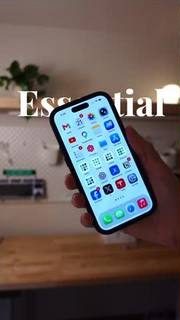
“SO THIS IS CALLED SYNTHETIC DOWNLOADS.”On screen: A hand holds an iPhone showing an anime app home screen in front of a desk with headphones and monitors.
Scene by scene
- He holds the phone to the camera on the app's home screen: 'So this is my latest app called synthetic downloads'.
- He scrolls trending anime, opens a show's episode list and taps download.
- The library shows Attack on Titan downloading, then a dimmed 'Downloading' screen for background downloads.
- He plays an episode and shows dub, zoom and subtitle options.
- He walks through getting the beta: the invite site in his bio, TestFlight, a code, and adding modules from a GitHub link.
- He downloads Black Clover season two episode one in dub and snoozes it to download in the background.
How to make your own
Hold your phone up to the camera and open with 'So this is my latest app called X', show the core action within five seconds, then walk through how to get it step by step.
Quick answers
What hook did this Synthetiq TikTok use?
A demo hook in the first 2 seconds: “SO THIS IS CALLED SYNTHETIC DOWNLOADS.” On screen it showed: A hand holds an iPhone showing an anime app home screen in front of a desk with headphones and monitors.
Why did this Synthetiq TikTok go viral?
Anime fans get shown, in the first seconds, an app that searches and downloads episodes, with 'limited time' unlimited beta downloads as urgency. The long walkthrough of the TestFlight install serves people who already decided to try it.
How do I make a TikTok like this for my app?
Hold your phone up to the camera and open with 'So this is my latest app called X', show the core action within five seconds, then walk through how to get it step by step.
Post every day, without filming
This one took a creator, a camera and an edit. Amplify makes slideshows about your app from what's going viral in your niche and posts them every day. Paste your website and your first posts are free.
Up to 60 posts a month, made and posted for you on your TikTok and Instagram. You approve each one, or let it post on its own.
Transcript
Read the full transcript (590 words)
So this is my latest app called synthetic downloads. You can search through the anime that you want and also download it. I'm not going to say how, but it works because of TikTok. You can go here, we can go here download and it will start downloading the actual anime here. You can see it over here downloading and for a limited time in beta access, everyone who downloads the app through TestFlight will have unlimited downloads until the app gets to the app store. So you can rinse this all you want. Let me actually show you how to get the application, but before that, let me show you how the anime is actually played. So once this finishes downloading, I'm going to let you know. Also, when you just want to download the show, you can leave it in the background. So it will just dim down the screen and automatically download, and your phone will be closed once it's absolutely done downloading that show. So as you can see, the show is downloaded. Also, if you have synthetic account across all other apps from a synthetic player and are working your favorites will automatically be here. So you can instantly start continuing your favorites. So this is the UI. You can see show all episodes you can download the other ones or my library you have yours and then you can play. As you can see, instantly plays. You have double tap, hold to zoom. You have all the languages that it has English right there. Then I'm going to embed it with synthetic subtitles. So there may be other languages like French and stuff. So we have one synthetic subtitles, my own subtitle thing. Now the steps actually get the beta. So first of all, you go to synthetic.uk slash invite in my bio. Once you're there, you will see my other two apps which you can get, my manga app here, my music app here as well. What you want to do is go to the last one. You want to get TestFlight beta. You're going to click install. If you don't have it and it's asking for code, you can look at the code over here. And basically once you download it, I'm going to delete the app from my device and then I'm going to reinstall it for you guys so you guys can see it properly. This video may be long, but hopefully helps. Pick your preference, sub or dub. You have your qualities, balanced, data saver, and you can also go advanced and have more options. Then you have your monthly data limits. Now what you want to do is click on add module. Now you're going to go back to the website and you're going to see this add module section. You're going to copy this GitHub link. Go back and just paste it in and click install. It will automatically download all of these modules that we support, not fully yet because it's still in beta. You have movies over here and anime is over here. Let's say I go to this Black Clover season two and I really want to watch episode one so I can download it in dub. And as you can see, it starts downloading. It's going to take time, so I want to put it on snooze so it downloads in the background. So I hope you guys enjoy this. Unlimited downloads by the way until the app store full version is out.
Caption
synthetiq downloads beta is out
Tagged
Original by @synthetiq_hq on TikTok, promoting Synthetiq. A beta iOS app for searching and downloading anime and movies to watch offline, with sub/dub and quality settings; spelled 'synthetiq' in the caption.