How this BeautyCam TikTok got 425K views
This BeautyCam TikTok by @cherylliuu got 425K views, 167× its creator's usual views. It is a talking head video that opens with a result first hook in the first 2 seconds: “How to take Y2K photos” Below: why it worked, every scene and how to make your own.
Why it worked
It opens on a grid of her own dreamy Y2K-style photos titled "How to take Y2K photos", then shows the exact mode and the one tip (always use flash), tied to back-to-school and digicam nostalgia.
The hook · result first · first 2s
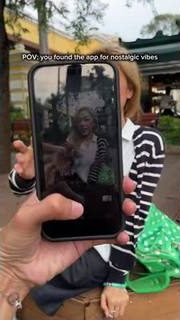
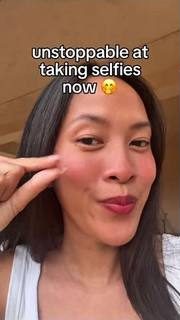
“How to take Y2K photos”On screen: The creator holds a teddy bear in her living room with a collage of four vintage-look photos of herself over her chest.
Scene by scene
- Talking head holding a teddy bear with a collage of her Y2K photos and the title "How to take Y2K photos".
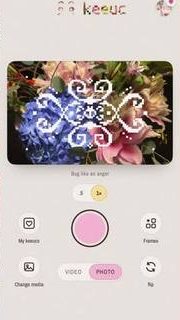
- An app menu pops up with an arrow pointing to Digicam.
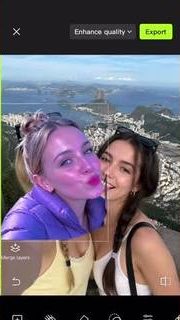
- Screen recording of the F Pix digicam view, swiping between camera styles and taking a photo.
- Back to her with sample photos labelled "F pix" and "Berry" and an arrow to the flash-on icon.
How to make your own
Open with a collage of your best results and a pink title, then show the app menu with an arrow to the right mode, swipe through filters, and end with one tip.
Quick answers
What hook did this BeautyCam TikTok use?
A result first hook in the first 2 seconds: “How to take Y2K photos” On screen it showed: The creator holds a teddy bear in her living room with a collage of four vintage-look photos of herself over her chest.
Why did this BeautyCam TikTok go viral?
It opens on a grid of her own dreamy Y2K-style photos titled "How to take Y2K photos", then shows the exact mode and the one tip (always use flash), tied to back-to-school and digicam nostalgia.
How do I make a TikTok like this for my app?
Open with a collage of your best results and a pink title, then show the app menu with an arrow to the right mode, swipe through filters, and end with one tip.
Post every day, without filming
This one took a creator, a camera and an edit. Amplify makes slideshows about your app from what's going viral in your niche and posts them every day. Paste your website and your first posts are free.
Up to 60 posts a month, made and posted for you on your TikTok and Instagram. You approve each one, or let it post on its own.
Transcript
Read the full transcript (59 words)
If you have photos that look like they were back from the 2000s, then you have to try this app. It's called BeautyCam, and essentially, once you open the app, select DigiCam. Swirl to find the DigiCam setting that you like. To recreate that nostalgic vibe of the DigiCam, make sure to always include flash on all these photos.
Caption
if you want that retro dreamy vintage photo and don’t have a digicam…
Tagged
Original by @cherylliuu on TikTok, promoting BeautyCam. A camera app with a DigiCam mode of retro camera filters (F 2000s, Berry, Lumi) that make phone photos look like 2000s digital camera shots.