How this Hypic TikTok got 3.4M views
This Hypic TikTok by @kxalzggsd3 got 3.4M views, 4,348× its creator's usual views. It is a screen recording video that opens with a demo hook in the first 2 seconds: “Enhance quality” Below: why it worked, every scene and how to make your own.
Why it worked
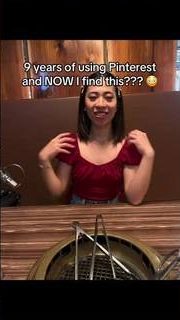
The opening frame shows a face pasted crooked onto a group selfie, a messy edit that makes viewers stay to see how it becomes a clean, natural photo.
The hook · demo · first 2s
“Enhance quality”On screen: Hypic's editor with a second face cutout dropped onto a blurred face in a selfie of two girls in front of Rio's coastline; only app buttons (Enhance quality, Export) are visible as text.
Scene by scene
- An overlay of the friend's other face is placed over her blurred face in the Overlay tool.
- Using Erase, the creator brushes away the overlay's jacket and edges so only the face remains.
- The overlay is positioned again and checked against the original.
- In Adjust, the Shine and Hue sliders are changed so the pasted face matches the photo.
- Retouch tools (Whiten, Touch up) finish the face, then an end card reads "Hypic Edit like a pro".
How to make your own
Screen-record a full face-swap edit on a group selfie in Hypic: overlay your better face, erase the edges, match color with Adjust, retouch, and end on the clean result with the app's end card.
Quick answers
What hook did this Hypic TikTok use?
A demo hook in the first 2 seconds: “Enhance quality” On screen it showed: Hypic's editor with a second face cutout dropped onto a blurred face in a selfie of two girls in front of Rio's coastline; only app buttons (Enhance quality, Export) are visible as text.
Why did this Hypic TikTok go viral?
The opening frame shows a face pasted crooked onto a group selfie, a messy edit that makes viewers stay to see how it becomes a clean, natural photo.
How do I make a TikTok like this for my app?
Screen-record a full face-swap edit on a group selfie in Hypic: overlay your better face, erase the edges, match color with Adjust, retouch, and end on the clean result with the app's end card.
Post every day, without filming
This one took a creator, a camera and an edit. Amplify makes slideshows about your app from what's going viral in your niche and posts them every day. Paste your website and your first posts are free.
Up to 60 posts a month, made and posted for you on your TikTok and Instagram. You approve each one, or let it post on its own.
Caption
Save this Hypic photo editing hack! If you love taking selfies and group photos, this is an easy editing trick you should learn. Hypic is a simple mobile photo editor with a face swap feature that let
Tagged
Original by @kxalzggsd3 on TikTok, promoting Hypic. A mobile photo editor; the video uses its Overlay, Erase, Adjust and Retouch tools to swap in a better facial expression on a group photo.