How this Flashloop TikTok got 117K views
This Flashloop TikTok by @jeff.aihustles got 117K views, 128× its creator's usual views. It is a talking head video that opens with a tutorial promise hook in the first 1 seconds: “Kids + YT Shorts = 20k/month (explained in caveman)” Below: why it worked, every scene and how to make your own.
Why it worked
"Explained in caveman" turns a fiddly setup (adding an MCP connector in Claude) into two-word commands like "Customize. Connectors.", which is funny and easy to follow. The "Kids + YT Shorts = 20k/month" promise gives a money reason to watch the steps.
The hook · tutorial promise · first 1s
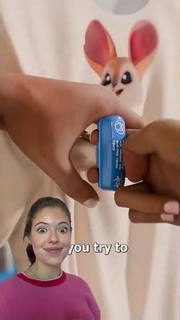
“Kids + YT Shorts = 20k/month (explained in caveman)”On screen: A close-up of a fluffy blue plush toy being pushed toward the camera with the white and green title text over it.
Scene by scene
- A blue plush toy fills the frame under "Kids + YT Shorts = 20k/month (explained in caveman)".
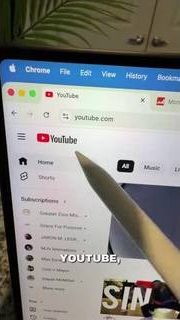
- He talks to camera holding the plush while a browser recording shows him typing claude.ai: "Claude. Go to Claude."
- Screen inserts follow each command: Customize, Connectors, "Add a custom connector".
- He opens a new tab, goes to flashloop.ai/mcp, asks "You still there?" and copies the server link.
- Back in Claude he pastes the link and connects, then says "Kids. YouTube shorts. Printing money" and asks viewers to comment for the full guide.
How to make your own
Explain a setup in two-word caveman phrases, say each one twice, and put the matching screen recording under your face for each step with the words as big captions. End with "Comment [word] for the full guide".
Quick answers
What hook did this Flashloop TikTok use?
A tutorial promise hook in the first 1 seconds: “Kids + YT Shorts = 20k/month (explained in caveman)” On screen it showed: A close-up of a fluffy blue plush toy being pushed toward the camera with the white and green title text over it.
Why did this Flashloop TikTok go viral?
"Explained in caveman" turns a fiddly setup (adding an MCP connector in Claude) into two-word commands like "Customize. Connectors.", which is funny and easy to follow. The "Kids + YT Shorts = 20k/month" promise gives a money reason to watch the steps.
How do I make a TikTok like this for my app?
Explain a setup in two-word caveman phrases, say each one twice, and put the matching screen recording under your face for each step with the words as big captions. End with "Comment [word] for the full guide".
Post every day, without filming
This one took a creator, a camera and an edit. Amplify makes slideshows about your app from what's going viral in your niche and posts them every day. Paste your website and your first posts are free.
Up to 60 posts a month, made and posted for you on your TikTok and Instagram. You approve each one, or let it post on its own.
Transcript
Read the full transcript (65 words)
Claude. Go to Claude. Customize. Customize. Connectors. Connectors. Add a custom connector. New tab. New tab. Go to flashloop.ai slash mcp. You still there? Copy. Link. Copy. Link. Go back to Claude. Back to Claude. Paste. Link. Paste. Link. Press. Connect. Press. Connect. Type. Proud. Kids. YouTube shorts. Kids. YouTube shorts. Printing money. No more work. All from phone. Comment Claude for the full guide.
Caption
Making YouTube Shorts with AI is getting crazy 🤯 Here’s how creators are doing it with Flashloop.
Tagged
Original by @jeff.aihustles on TikTok, promoting Flashloop. An AI video and image generator (flashloop.ai) that connects to Claude as a custom connector through its MCP link, so you can ask Claude to make kids' YouTube Shorts.