How this Hunyuan Video TikTok got 148K views
This Hunyuan Video TikTok by @ademola_joshua got 148K views, 10.7× its creator's usual views. It is a talking head video that opens with a tutorial promise hook in the first 3 seconds: “REASON” Below: why it worked, every scene and how to make your own.
Why it worked
It shows a free, no-sign-up way to make AI videos on a phone, step by step, with big yellow word-by-word captions that keep people reading. 'Now you don't have any excuse not to lock in' lands with faceless-creator viewers.
The hook · tutorial promise · first 3s
“REASON”On screen: A young man in a black tee and chain sits on a sofa arm gesturing, with a big yellow one-word caption.
Scene by scene
- He talks to camera from the arm of a sofa in a modern living room.
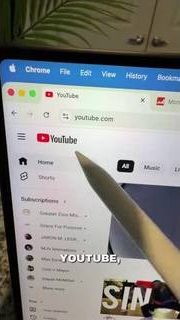
- An overlay shows him Googling 'hunyuan video' on his phone.
- The Hunyuan Video site opens with 'Text to Video' and 'Image to Video' options.
- He pastes a long prompt into the prompt box and taps generate.
- The generated dark, moody clip appears with 'Download MP4' and 'Generate Again' buttons.
- Back on camera, he tells viewers to keep repeating it and 'stay locked in'.
How to make your own
Film yourself talking in a nice room, then overlay phone screen recordings of searching the tool, pasting a prompt and hitting generate. Use bold one-word captions.
Quick answers
What hook did this Hunyuan Video TikTok use?
A tutorial promise hook in the first 3 seconds: “REASON” On screen it showed: A young man in a black tee and chain sits on a sofa arm gesturing, with a big yellow one-word caption.
Why did this Hunyuan Video TikTok go viral?
It shows a free, no-sign-up way to make AI videos on a phone, step by step, with big yellow word-by-word captions that keep people reading. 'Now you don't have any excuse not to lock in' lands with faceless-creator viewers.
How do I make a TikTok like this for my app?
Film yourself talking in a nice room, then overlay phone screen recordings of searching the tool, pasting a prompt and hitting generate. Use bold one-word captions.
Post every day, without filming
This one took a creator, a camera and an edit. Amplify makes slideshows about your app from what's going viral in your niche and posts them every day. Paste your website and your first posts are free.
Up to 60 posts a month, made and posted for you on your TikTok and Instagram. You approve each one, or let it post on its own.
Transcript
Read the full transcript (145 words)
[first ~15 seconds not clearly transcribed] Right here, you can either paste in your text prompt to create your video or you can click on this right here, upload your image to turn it into a video. It works both ways for free. You choose your preferred aspect ratio. You also choose the duration. How long do you want your video to be? And that is all you click on generate. So it creates your video for you. If you have multiple things that you want to create you can make use of this tool. Create as many clips as you want. Just keep doing the process repeatedly. That is it. If you have multiple things that you want to create just keep doing the same process repeatedly using different prompts. So now you don't have any excuse not to lock in. Stay locked in.
Tagged
Original by @ademola_joshua on TikTok, promoting Hunyuan Video. A free website that turns a text prompt or uploaded image into an AI video, with model, aspect ratio and duration settings; the site says it is unofficial.