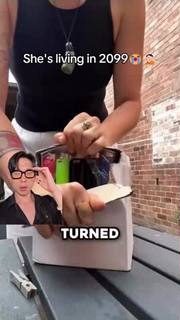
How this Swagga AI TikTok got 1.7M views
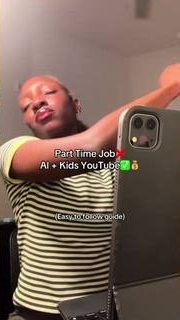
This Swagga AI TikTok by @lateese.miller got 1.7M views, 311× its creator's follower count. It is a talking head video that opens with a bold claim hook in the first 3 seconds: “Don't Get a Part Time Job‼️” Below: why it worked, every scene and how to make your own.
Why it worked
"Don't Get a Part Time Job" with on-screen math (600 x 7 = 4,200) promises easy money, and the pen-pointing walkthrough on a real screen makes the method feel doable step by step.
The hook · bold claim · first 3s
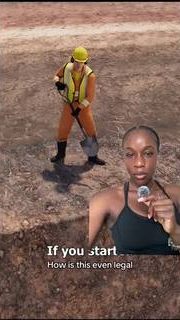
“Don't Get a Part Time Job‼️”On screen: The creator in glasses taps a pen against her lips while "600" and "600x7 = 4,200" appear beside her.
Scene by scene
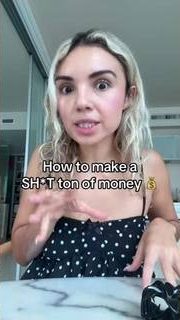
- Talking head with "Don't Get a Part Time Job" and the 600 x 7 = 4,200 math.
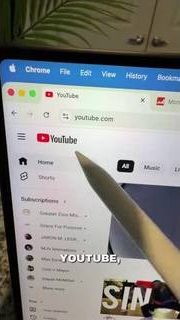
- Tablet shows YouTube results for "baby show" with big view counts; she points with a pen.
- Google AI answer on what YouTube pays per million views.
- She opens a viral baby video's description and copies the transcript.
- She goes to swagga.ai's chat tab and pastes the transcript.
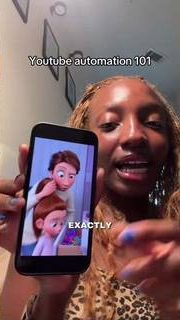
- Back on camera: "If you want the prompt that I use, comment prompt", then the video tab generates the clip.
How to make your own
Start on your face with a money claim and the math as text, then film your screen with a pen pointing at each step (find a video, copy transcript, paste into the tool, generate) and end with "comment prompt".
Quick answers
What hook did this Swagga AI TikTok use?
A bold claim hook in the first 3 seconds: “Don't Get a Part Time Job‼️” On screen it showed: The creator in glasses taps a pen against her lips while "600" and "600x7 = 4,200" appear beside her.
Why did this Swagga AI TikTok go viral?
"Don't Get a Part Time Job" with on-screen math (600 x 7 = 4,200) promises easy money, and the pen-pointing walkthrough on a real screen makes the method feel doable step by step.
How do I make a TikTok like this for my app?
Start on your face with a money claim and the math as text, then film your screen with a pen pointing at each step (find a video, copy transcript, paste into the tool, generate) and end with "comment prompt".
Post every day, without filming
This one took a creator, a camera and an edit. Amplify makes slideshows about your app from what's going viral in your niche and posts them every day. Paste your website and your first posts are free.
Up to 60 posts a month, made and posted for you on your TikTok and Instagram. You approve each one, or let it post on its own.
Transcript
Read the full transcript (143 words)
Every day, every week, every month. Don't get a part-time job, do this instead. The YouTube, find a kids show, preferably one with a lot of views. Look at all these views, and all of these were made with AI. And this is what YouTube pays per million views. Find a viral baby video, go down to the description, and copy the transcript. Go to swagga.ai and then to the chat tab. Paste the transcript and ask it to make you a prompt for a similar show inspired by this transcript. If you want the prompt that I use, comment prompt. You'll copy the prompt and go to the video tab. Paste in the transcript. Make sure it's c-dance or clean. 9x16 aspect ratio, and 12 to 15 seconds. It generate. A couple minutes later, this is the video you're going to post.
Caption
You don’t have to show your face to create content on YouTube! 👀💰 AI tools are making video creation easier than ever, opening up new opportunities to build a potential income stream from home. 📲✨
Tagged
Original by @lateese.miller on TikTok, promoting Swagga AI. An AI tool with a chat tab that turns a pasted YouTube transcript into a prompt and a video tab that generates a short 9:16 kids' show clip.